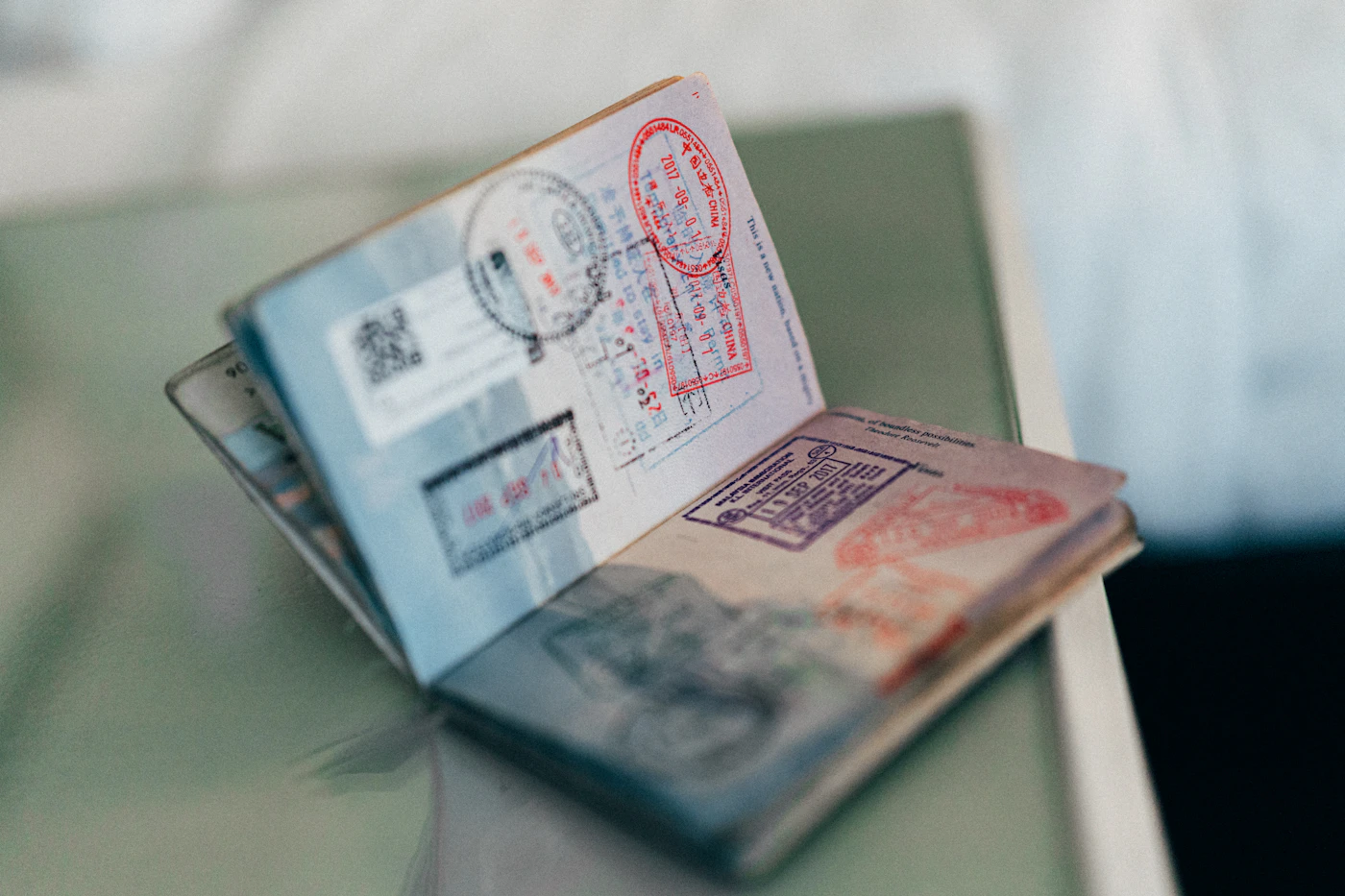
Why a Document System Beats Last-Minute Panic
There is a familiar scramble that happens the night before a trip. It usually involves flipping through drawers, checking coat pockets, and trying to remember whether the passport was left in the safe after the last flight. That chaos is not a sign of poor planning; it is a sign of a missing routine. When travel documents live in scattered places, every departure becomes a test of memory rather than a simple step in the journey.
A proactive system does not require a fancy app or color-coded binders. It simply asks you to decide where things belong before you need them. The payoff is more than just finding the right folder. It means the morning of departure feels calm, and you are less likely to overlook a renewal date or a visa requirement while standing at the gate.
Consider building a small habit that fits your normal rhythm. A weekly five-minute check can be enough to keep things current.
- Keep a single home for passports, IDs, and travel confirmations. If it is not in that spot, treat it as missing.
- Snap a quick photo of your documents on your phone. That gives you a backup reference, not a legal substitute, but a useful one if a bag goes astray.
- Tie document checks to an existing routine, like paying bills or doing laundry, so it does not feel like an extra chore.
This approach works because it removes the guesswork. When you stop relying on last-minute memory, you free up mental energy for the parts of travel that actually require your attention, like navigating a new city or just enjoying the time away.
The Core Documents Every Traveler Needs
Getting your paperwork in order is less about finding the "perfect" system and more about consistency. The goal is simple: know exactly what you have, where it is, and how to replace it if it goes missing. Start with the non-negotiables—your passport and any required visa. These are your identity and entry tickets, so check their validity well before your departure date. Many destinations require that a passport be valid for a certain period beyond your stay, so confirm this early rather than assuming your travel dates are enough.
Beyond that, a few supporting documents make the trip smoother. Carry a government-issued ID as a backup, especially for domestic travel or as a secondary proof of identity. Travel insurance details are also essential—not just the policy number, but the emergency assistance phone line and a summary of what is covered. Keep a copy of your itinerary, hotel reservations, and any pre-booked tour confirmations accessible without needing Wi-Fi. Finally, write down emergency contacts, including family members and your home country’s embassy or consulate.
To keep everything practical:
- Go physical: Use one slim organizer or a dedicated zippered pouch for all paper copies.
- Go digital: Save photos or PDFs in a secure, offline folder on your phone or tablet.
- Leave a copy behind: Share your itinerary and key documents with a trusted person at home.
The common mistake is carrying originals and copies together. Instead, separate them—keep the physical set in your carry-on and the digital versions in a different device or cloud account. If the bag is lost, you still have a backup path forward.
Building Your Everyday “Grab-and-Go” Folder
The goal is to make packing feel less like a scavenger hunt. A simple physical folder or accordion file kept in one dedicated spot at home does most of the work. You do not need a complex digital system or a special travel wallet—just a consistent place where the important paperwork lives between trips.
The most effective organization method depends on how often you leave. If you take one or two major trips a year, sort by document type. Use clear sleeves for each category: identification and passports, flight confirmations and boarding passes, hotel or rental reservations, insurance cards, and emergency contacts. This way, you can pull the whole folder and quickly flip to what you need at security, check-in, or the rental counter.
If you travel more frequently, sort by trip. Use a multi-pocket accordion file with one section per journey. Slip a printed itinerary into the front clear sleeve of that section, followed by the receipts, confirmations, and any maps or local contact details. When a trip ends, remove the entire section and file it at home or recycle it, leaving the folder ready for the next adventure.
Clear sleeves are not just for protection—they let you see what is inside without pulling anything out. That quick visual check saves time and reduces stress at the counter.
- Keep the folder in the same drawer or shelf every single time. Consistency is what builds the habit.
- Add a small notepad or a spare pen in a sleeve for jotting down gate changes or taxi numbers.
- Review the folder once a month, even if you are not leaving soon, to refresh expired cards or outdated confirmations.
The maintenance is simple: when you return home, put any new documents back in their sleeves and return the folder to its spot. That ten-second habit is what keeps the system working next time you grab it on the way out the door.
Digital Backups Without the Overwhelm
You don’t need a full home scanner or a complicated filing system to protect your travel documents. A simple phone camera is enough for most situations. The goal is not to create a perfect digital archive, but to ensure you can still access a passport number, an itinerary, or an insurance card if the physical copy goes missing.
Take clear, well-lit photos of each essential document. This includes your passport’s photo page, driver’s license, travel insurance summary, and any hotel or flight confirmations. Hold the phone directly over the paper to avoid glare and skewed angles. Most phone photo apps allow you to crop and straighten the image right there, which takes only a few seconds.
Once you have the photos, send them to yourself as an email attachment and also save them to a secure cloud storage service you already use. Having two copies in different places is more reliable than just one. If you lose your phone abroad, you can still reach your email from a library computer. If you have no signal, the copy saved directly on your phone’s storage is your fallback.
- Save files with clear names, such as “Passport_JaneDoe” or “Hotel_Booking_Confirmation,” so you can find them quickly in a hurry.
- Keep the folder dedicated to this trip only. Do not mix in old receipts or unrelated scans.
A common assumption is that a digital copy is as valid as the physical document. It usually is not. Border control and car rental desks almost always require the original. Treat digital backups as a convenience for reference and replacement, not as a substitute for carrying the physical papers.
Do not rely solely on a digital copy for anything that requires a signature or an official stamp. If you have a paper visa or a rental agreement that must be signed, keep the original in your carry-on. The digital file is there to help you reconstruct information, not replace official proof of identity.
A Simple Pre-Trip Review Habit
Travel plans change, but paperwork should not be a last-minute scramble. Setting aside ten minutes a few days before departure is enough time to catch most common problems while you still have room to fix them. The goal is not to reorganize your entire filing system, but to run a quick, repeatable check on the essentials.
Work through this short list when you are calm and at home, not at the airport:
- Check expiry dates. Look at your passport and any credit or debit cards you plan to use. Many destinations and car rental agencies expect documents to remain valid for a set period beyond your return date. If something expires soon, you need to know now, not at check-in.
- Confirm names match. Pull up your booking confirmations for flights, hotels, and rental cars. Compare the spelling on each one against your passport exactly. A mismatched middle name or a misspelled surname is one of the easiest errors to fix before departure and one of the hardest to resolve at the counter.
- Verify visa and entry requirements. Immigration rules change more often than most people assume. Look at the official government or embassy website for your destination, not just a travel forum. Confirm whether a visa, an electronic authorization, or simply a blank passport page is needed.
- Refresh digital backups. Make sure your phone has a current photo of your passport data page, visas, and driver’s license. Email copies to yourself or store them in a secure cloud folder. This habit is about convenience and peace of mind, not just security.
This entire routine is a simple personal check. It does not require professional help. If you spot a discrepancy, contact the airline or booking agent directly with your confirmation number handy. Doing it a few days early keeps the process calm and straightforward.
What to Leave at Home and What to Keep On You
The goal is to make your daily carry light enough that you never have to dig through a bag in a crowded square, but complete enough that you can handle basic encounters with local authorities or hotel staff. A good rule of thumb: if you would be distressed to lose it, it should probably be locked away.
Keep on you, in a zippered interior pocket or a slim neck pouch:
- A photocopy or clear digital photo of your passport photo page.
- Your hotel’s business card or the address written in the local language.
- A single credit card and a small amount of local cash, separate from your main wallet.
Leave in the hotel safe:
- Your actual passport, unless you are flying or crossing a land border that day.
- Extra debit and credit cards, plus backup cash.
- Any printed confirmations, prescriptions, or travel insurance paperwork.
Many travelers assume the front desk safe is only for jewelry, but it is the practical home for items you will not need until check-out. Testing the safe’s lock on the first day saves you from fumbling at 6 a.m. before a flight.
If your passport is lost or stolen, a copy makes the police report and embassy visit faster, but you cannot replace the document yourself. That is when you step back and let a professional—a consular officer or a licensed visa service—take over. Similarly, if your entry visa has unusual stamps or you are told your paperwork is “not quite right,” do not attempt repeated online fixes. A few minutes with an expert beats hours of guessing. Carry light, store the rest, and ask for help when the rules stop being straightforward.